In celebration of Saudi National Day discount 15% use code Watan






















Blog

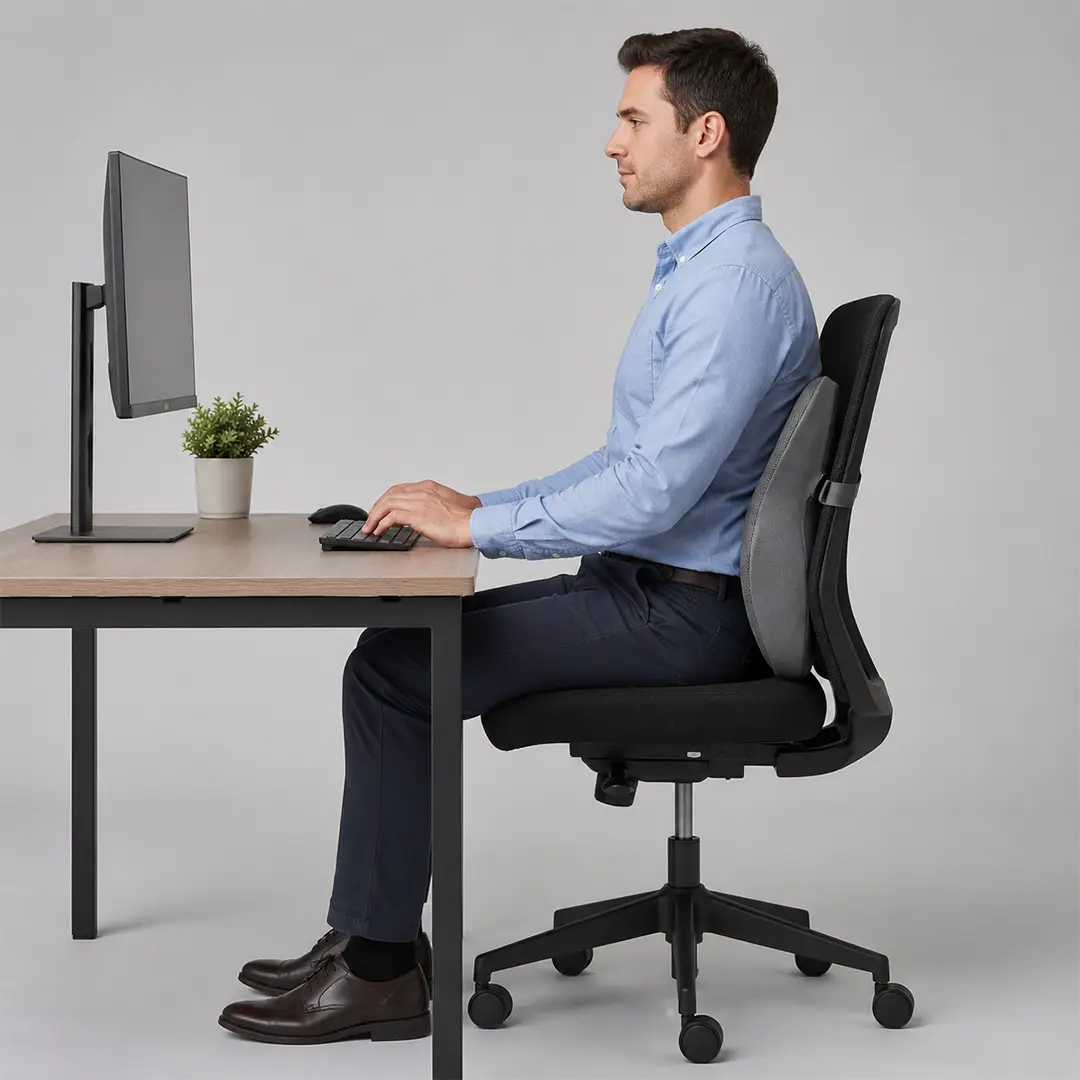
Maintaining correct sitting posture in front of computer screens is absolutely essential to prevent chronic musculoskeletal disorders and protect your spine during long work hours. The ideal ergonomic setup strictly aligns your eyes with the top third of the monitor, keeps your elbows at a 90-degree angle, and ensures your feet rest completely flat. By maintaining this proper alignment and utilizing targeted lumbar support, you significantly reduce lumbar disc pressure, actively preventing daily fatigue and debilitating lower back pain permanently.
Why Correct Computer Sitting Posture Matters
Most people attempt to fix their back pain but completely ignore their monitor height and desk alignment. That is the fundamental mistake that initiates the pain cycle. Understanding the mechanics of the musculoskeletal system is the very first step to achieving true relief and long-term joint health.
What poor posture actually does to your spine
Prolonged sitting in an improper position increases your lumbar disc pressure by exactly 40% compared to standing. This static overload triggers a predictable, cascading pain chain that starts from the neck, travels downward through the thoracic spine, and ultimately settles deep in the lumbar region.
Furthermore, sitting perfectly still is a hidden physiological danger. Without continuous micro-movements, your spinal discs rapidly lose their natural hydration and elasticity. Maintaining the correct sitting posture in front of computer setups actively prevents this severe static compression and keeps your spine functioning properly.
The 3 most damaging posture mistakes at a computer
- Monitor placed too low: This common error forces your neck into a forward posture, exponentially increasing the weight your delicate cervical spine must continuously support.
- Keyboard positioned too far: Constantly reaching for your keys heavily elevates your shoulders, locking your upper trapezius muscles in a state of exhausting, chronic tension.
- Lack of dedicated lumbar support: Sitting without a curve-matching backrest directly reverses your spine’s natural lordosis, flattening the lower back and dangerously overloading the lower discs.
Correct Computer Sitting Position:
A correct sitting posture in front of computer desks requires highly precise joint angles and measurable adjustments. Use these eight verifiable physiological checkpoints to audit your current workstation instantly and eliminate strain.
Head & neck — monitor alignment
Your eye level must align precisely with the top third of your screen. Maintain a strict viewing distance of 50 to 70 centimeters to prevent visual strain and unconscious forward leaning.
Your neck should consistently remain in a neutral position with a cervical angle of less than 15 degrees. For structural recovery after long shifts, utilizing a cervical pillow at night actively helps restore the natural spinal curve lost during extensive desk work.
Back & hips — chair & lumbar
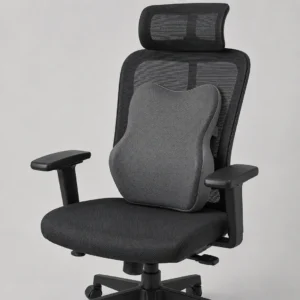
Your hip angle should rest comfortably and naturally between 90 and 110 degrees. An effective ergonomic chair must support the lumbar spine directly and firmly at the specific L3–L5 vertebrae level.
Ensure a seat depth that leaves a clear 2 to 3 finger gap between the back of your knees and the seat edge. If your current office chair lacks this essential curve, adding a Back Support Cushion is mandatory to prevent your pelvis from improperly tilting backward.
Arms, wrists & keyboard
Your elbows need to maintain a strict angle of 90 to 100 degrees while typing rapidly. Position your keyboard so your forearms remain perfectly parallel to the floor, completely eliminating the need to reach forward.
Your wrists must always stay in a neutral, flat position. Bending them upward or downward while navigating the mouse or keyboard directly causes severe nerve compression and accelerates carpal tunnel syndrome.
Legs & feet — foundation of posture
Your feet must rest completely flat on the floor or solidly on an angled ergonomic footrest. Your knees should always be positioned at or slightly below your hip level to promote highly efficient blood circulation.
Never cross your legs while working, as this instantly disrupts your pelvic alignment and forcefully twists the lower spine. If your feet dangle at all, the resulting downward pressure requires a coccyx cushion to safely offload the dangerous weight from your vulnerable tailbone.
Correct posture is dynamic — the best position changes every 30–60 min.
Ensure your elbows, hips, and knees follow the foundational 90-90-90 rule to maintain an optimal distribution of your body weight.
Best Sitting Posture for Computer Work: Full Workstation Setup Guide
Achieving the best sitting posture for computer work requires configuring your entire environment, not just your body. A complete ergonomic setup integrates your chair, desk, and screen into one cohesive unit. Consequently, ignoring even one element can disrupt your entire structural alignment.
Monitor — height, distance, tilt
The top of your screen should match your exact eye level, with a minor acceptable variance of plus or minus 5 centimeters. Use a dedicated, adjustable monitor arm if your current stand lacks the necessary vertical range.
Tilt the monitor backward between 10 and 20 degrees to significantly reduce overhead glare and prevent neck extension. Finding the correct computer sitting position is physiologically impossible if your screen placement constantly forces your head to tilt downward.
Desk height & chair adjustment sequence
Establishing the ideal workstation follows a strict, non-negotiable adjustment sequence: adjust your chair first, then the desk, and finally the monitor. Adjusting the desk surface before securing your chair height is a critical error that ruins proper ergonomics.
Your optimal desk height formula is simple: your seated elbow height must perfectly equal the desk surface level. On the other hand, for standing desk users, the most effective, evidence-based ratio is alternating between 20 minutes of sitting and 10 minutes of standing.
Laptop vs desktop — key ergonomic differences
Laptop setups inherently create an ergonomic paradox because the screen and keyboard are permanently fixed on the exact same plane. Therefore, maintaining the correct sitting posture in front of computer screens is impossible on a bare laptop without utilizing accessories.
The mandatory solution for laptop users is separating the inputs: you must use an external keyboard paired with a sturdy laptop stand. Desktop configurations are significantly easier to manage, allowing you to focus primarily on securing a monitor arm and high-quality lumbar support.
Best Way to Sit at a Desk for Long Hours: The 90-90-90 Rule Explained
Understanding foundational biomechanics is the absolute best way to sit at a desk without developing chronic muscular fatigue. The 90-90-90 framework provides a highly measurable, scientific standard that applies to almost every workstation environment.
What is the 90-90-90 rule?
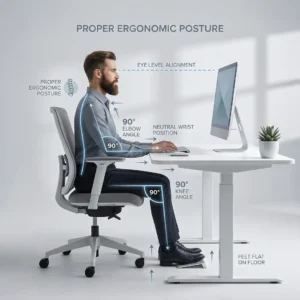
The 90-90-90 rule dictates that your ankles, knees, and hips should all be positioned at precise 90-degree angles. This specific geometric alignment creates the most stable, structurally sound foundation for your pelvis and lower back.
When this rule naturally fails—often for very tall users or those at fixed-height desks—adjustability becomes paramount. In these specific scenarios, utilizing an angled footrest or a highly adjustable seat pan ensures you can still approximate this vital joint alignment.
What is the 30/30 rule in ergonomics?
The 30/30 rule states that for every 30 minutes of continuous sitting, you must take a mandatory 30-second micro-movement break. These tiny, frequent interruptions in static posture prevent the gradual stiffening and dehydration of your spinal discs.
Furthermore, every 60 minutes, you should actively stand and walk for a minimum of two full minutes. This specific habit drastically reduces built-up lumbar disc pressure by up to 50%, keeping your musculoskeletal system healthy.
Even perfect posture becomes actively harmful after 45 to 60 minutes without any physical movement.
Awlait Tip: Utilize a memory foam lumbar support to naturally fill the gap in your lower back, effectively reducing spinal pressure by 35%.
Best Posture for Office Work
Even with the best posture for office work, your muscles require active, intentional engagement to counteract gravity over an eight-hour shift. Implementing brief, corrective exercises directly at your desk maintains muscle elasticity and structural balance.
3 seated exercises — 5 minutes total
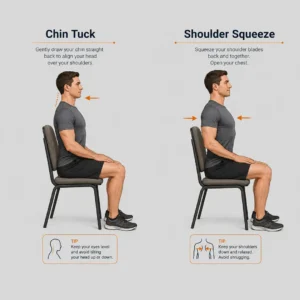
- Chin Tuck: Pull your head straight back horizontally to correct forward head posture. Perform 10 controlled repetitions across 3 sets.
- Shoulder Blade Squeeze: Pinch your shoulder blades together tightly to release upper trapezius tension. Complete 10 repetitions across 3 sets.
- Seated Pelvic Tilt: Gently rock your pelvis forward and backward to activate your lumbar stabilizers. Aim for 10 repetitions across 3 sets.
Posture reset routine — end of workday
At the end of your shift, perform a 3-minute standing stretch sequence focusing heavily on hip flexor release and thoracic rotation. This routine effectively signals to your nervous system that the rigid, static work period has officially concluded.
For comprehensive physical recovery, learning how to relieve tailbone pain while sitting provides excellent end-of-day care strategies. Consistent daily stretching is exactly what transforms a temporary proper sitting posture into a permanent, pain-free habit.
Correct Sitting Posture for Lower Back Pain and Tailbone Relief
When addressing severe physical discomfort, establishing the correct sitting posture in front of computer setups becomes a strict clinical necessity. The wrong chair surface actively contributes to progressive spinal degeneration and localized nerve pain.
How sitting posture causes lower back & coccyx pain
A posterior pelvic tilt while sitting completely flattens your natural lumbar curve, leading to massive, sustained disc overload. This anatomical distortion is the primary catalyst for chronic pain and debilitating repetitive strain injuries.
Additionally, resting heavily on a hard, unyielding seat surface applies direct, damaging pressure to your coccyx, drastically increasing the risk of Coccydynia. For a deeper clinical understanding, carefully review our dedicated guide on managing lower back pain when sitting.
Tools that fix posture + relieve pain simultaneously
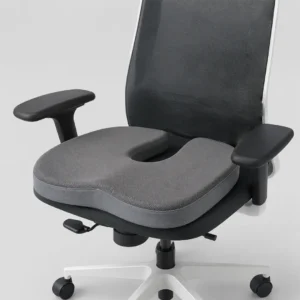
- A high-quality coccyx cushion safely offloads tailbone pressure while simultaneously correcting harmful posterior pelvic tilt.
- Adding a proper Back Support Cushion physically restores your lumbar lordosis, acting as a rigid structural guide for your spine.
- These exact biomechanical principles apply to commuting; utilizing a Back Support for Car maintains your critical alignment during long drives.
Best Sitting Posture for Different Work Scenarios
Your physical environment constantly changes, but the core principles of the correct sitting posture in front of computer screens remain strictly universal. Adapting your technical setup to different locations is absolutely crucial for modern, hybrid professionals.
Home office vs corporate office vs car
Home furniture is rarely ergonomic; deploying a high-density cushion and a sturdy monitor stand are the absolute minimum fixes required. In a corporate hot-desking environment, you must memorize a strict 5-step personal setup routine every single morning.
Your daily commute also heavily impacts your spinal health before work even begins. Implementing targeted Back Support for Car accessories ensures the essential 90-degree hip rule applies flawlessly even while driving in traffic.
Correct posture for laptop users specifically
The laptop ergonomics paradox dictates that there is no single correct physical position without external, corrective accessories. Your minimum viable setup must include an elevated laptop stand, an external keyboard, and a dedicated ergonomic mouse.
If you occasionally work from a sofa, your lumbar spine is entirely unsupported and highly vulnerable to severe compression. Utilizing a Multi Position Pillow provides the necessary, targeted structural support for these informal, hybrid working scenarios.
Frequently Asked Questions: Correct Sitting Posture in Front of Computer
Addressing common concerns with precise, evidence-based answers helps streamline your transition to a healthier workstation. Below are the essential answers regarding the correct sitting posture in front of computer setups.
How to sit properly in front of a computer?
To sit properly, align your eyes with the top third of the monitor and maintain a neutral neck position. Follow the 8-point checkpoint system: keep your elbows at 90°, support your lower back with a dedicated lumbar cushion, and ensure your feet rest flat on the floor to stabilize the pelvis.
How to sit in front of the PC?
Sit with your back firmly against the chair’s backrest, maintaining a distance of 50–70 cm from the screen. Your forearms should be parallel to the floor, and your knees should stay at or slightly below hip level to promote optimal blood circulation and spinal alignment.
What is the 30/30 rule in ergonomics?
The 30/30 rule is a movement protocol where you take a 30-second micro-break every 30 minutes of sitting. During this time, perform a quick stretch or simply look away from the screen to reset your posture and reduce static muscle fatigue.
What is the 90-90-90 sitting rule?
The 90-90-90 rule is a foundational ergonomic framework requiring your ankles, knees, and hips to all maintain 90-degree angles. This specific geometric alignment ensures even weight distribution across the joints and prevents the flattening of the natural lumbar curve.
Your Daily Correct Posture Checklist: Print & Keep at Your Desk
Consistency is the only way to transform ergonomics into a permanent habit. Use this 20-point reference checklist to ensure you maintain the correct sitting posture in front of computer screens throughout your entire shift.
| Timing | Focus Area | Action Item |
| Morning Setup | Monitor & Chair | Align eye level to top of screen; adjust chair height for 90° knees. |
| Morning Setup | Tools & Desk | Place keyboard at elbow height; position Back Support Cushion. |
| Hourly Check | Body Alignment | Are feet flat? Is the neck neutral? Is the coccyx cushion centered? |
| Hourly Check | The 30/30 Rule | Take 30 seconds to stand or stretch; reset eye focus distance. |
| End of Day | Recovery | Perform 3-min standing stretch; use cervical pillow for sleep. |
| End of Day | Maintenance | Reset desk layout; clear clutter to prevent reaching/straining tomorrow. |
Investing in your physical alignment today is the most effective way to prevent chronic pain tomorrow. By combining a disciplined routine with the right ergonomic tools—like a high-quality Back Support Cushion or a coccyx cushion—you can maintain peak productivity without sacrificing your spinal health.

Related posts

How to Ease Lower Back Pain

How to Ease Lower Back Pain: Safe Home Care, Exercises, and Warning Signs
The best way to ease lower back pain is usually to remain ge...

Herniated Disc Pain Relief
Herniated Disc Pain Relief
Herniated Disc Pain Relief starts with gentle activity, brief rest, supportive sitting and sleeping positio...
Best Recliner for Back Pain
Best Recliner for Back Pain: The Ultimate Ergonomic
Finding the best recliner for back pain requires selecting a seat built on ergono...
How to Choose a Recliner Chair
How to Choose a Recliner Chair: An Ergonomic & Buyer's Guide
Learning How to Choose a Recliner Chair comes down to evaluating your...
Recliner Chair Prices
Awlait recliner chair prices currently start from SAR 1,269 and can reach SAR 2,815, depending mainly on the selected reclining mechani...
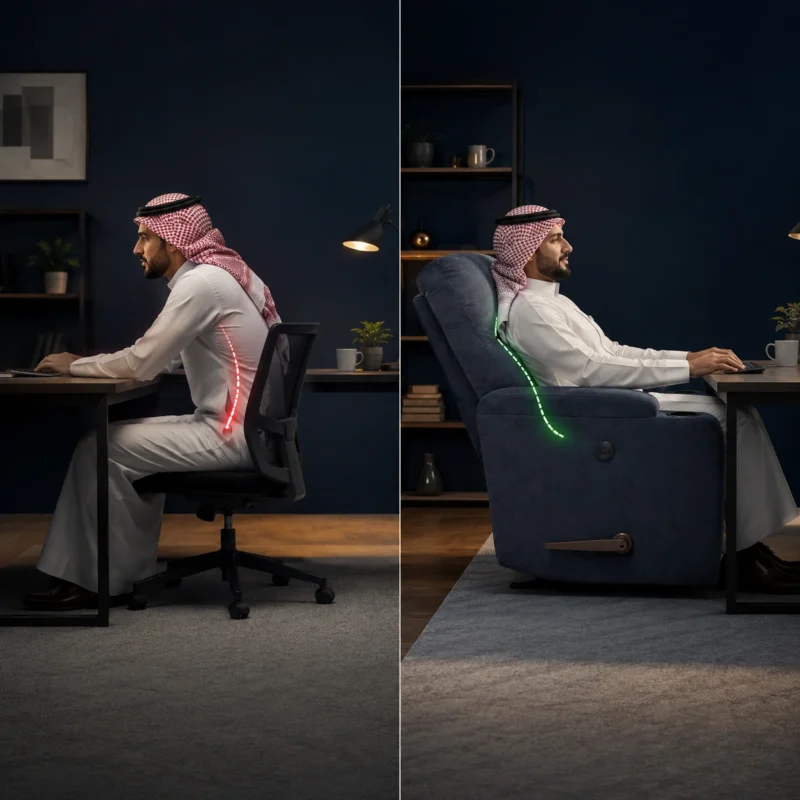
How to Relieve Back Pain
Learning how to relieve back pain requires a structured, step-by-step approach. It begins with applying cold therapy to soothe lumbar m...
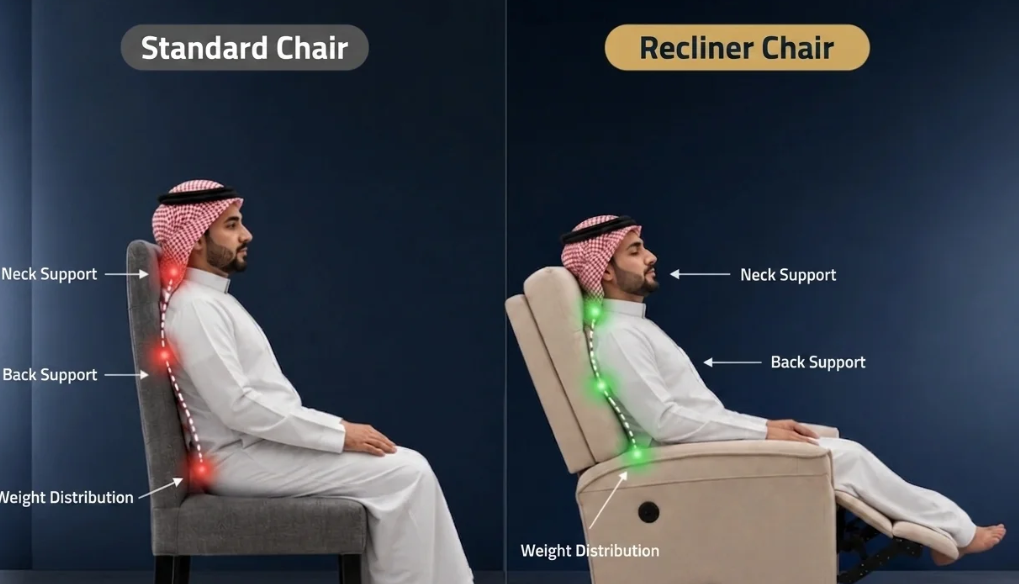
benefits of recliner chair
The benefits of recliner chair extend far beyond simple relaxation, offering comprehensive body support and relieving stress on joints ...
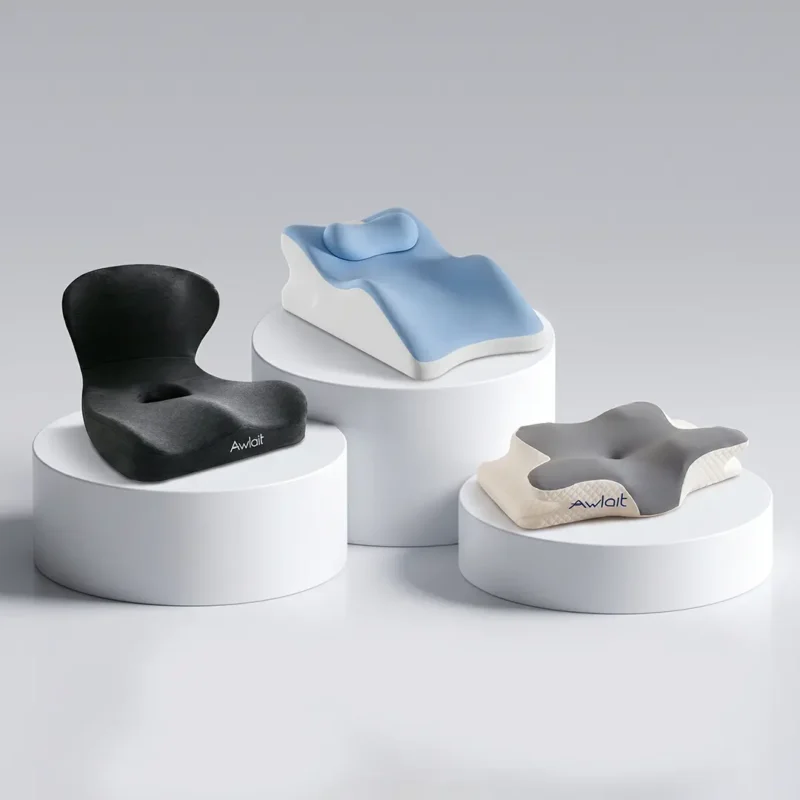
Best Memory Foam Pillows in 2026
The best memory foam pillows are engineered to provide superior cervical support by adapting to the unique contours of your head and ne...
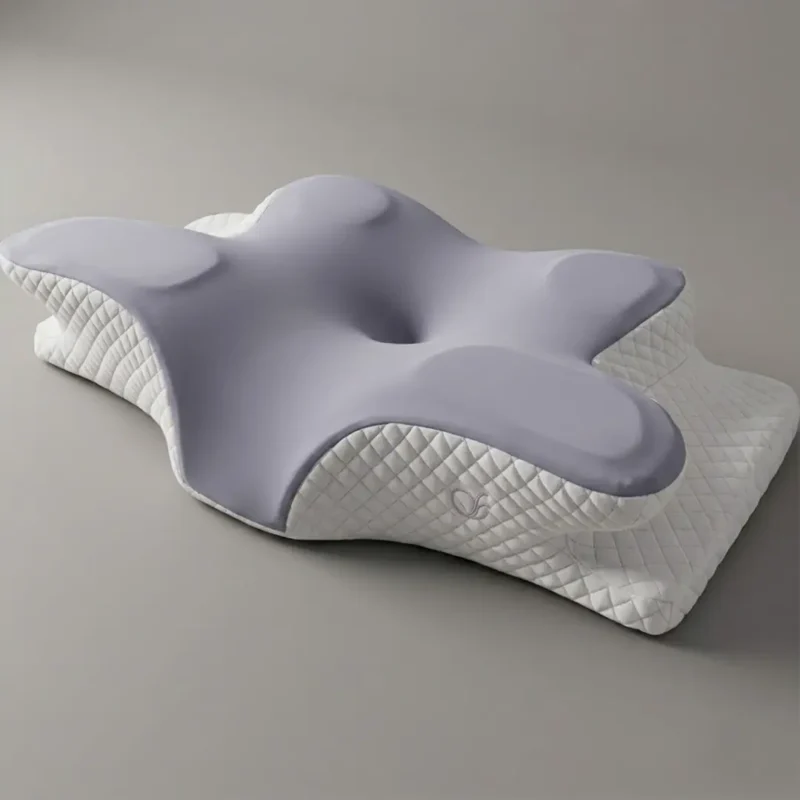
Best Type of Pillow for Neck Pain: Orthopedic Guide by Sleep Position
Finding the best type of pillow for neck pain requires matching your sleep position with the correct loft and material. A misaligned ce...
Best Pillow for Sleeping in 2026
Finding the best pillow for sleeping is essential for maintaining spinal health and ensuring restorative rest throughout the night. You...
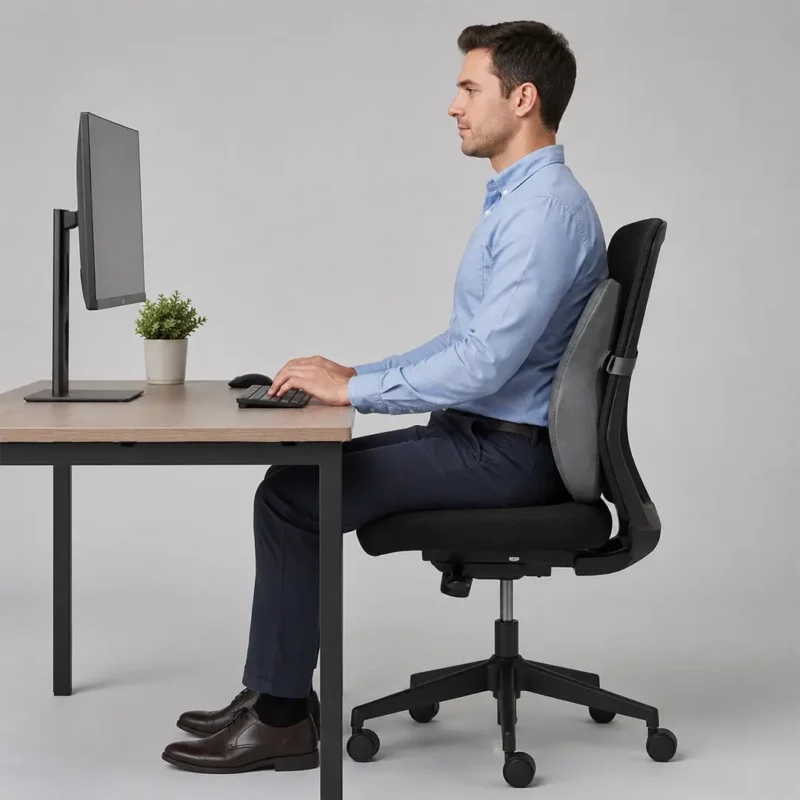
Correct Sitting Posture in Front of Computer
Maintaining correct sitting posture in front of computer screens is absolutely essential to prevent chronic musculoskeletal disorders a...
Proper Sitting Posture: How to Sit Correctly for Better Back Health
Proper sitting posture is the simplest way to reduce strain when you work, study, or relax for long hours. It means aligning your feet,...